Exciting Features Coming with the Latest Google Pixel Update
- CineRove
- Dec 18, 2025
- 4 min read

Google Pixel phones have long been known for delivering a clean Android experience with timely updates that bring new features and improvements. The latest Google Pixel update continues this tradition by introducing several enhancements designed to improve usability, security, and overall user experience. Whether you own a Pixel 6, Pixel 7, or one of the earlier models still supported, this update offers something worth exploring.

Smarter Camera Features for Better Photos
One of the standout improvements in the latest update focuses on the Pixel’s camera system. Google has enhanced computational photography capabilities, making it easier to capture stunning photos in various conditions.
Improved Night Sight: The update refines Night Sight mode to reduce noise and improve clarity in low-light shots. This means photos taken in dim environments will look sharper and more natural.
Motion Mode Enhancements: Motion Mode now better captures moving subjects with less blur, ideal for action shots or sports photography.
Real Tone Improvements: Google continues to improve Real Tone technology, which ensures skin tones appear more accurate and true to life across different lighting conditions.
These camera upgrades make the Pixel a strong choice for photography enthusiasts who want great results without fiddling with manual settings.
Enhanced Privacy and Security Controls
Google has placed a strong emphasis on privacy in this update. New tools give users more control over their data and how apps access sensitive information.
Privacy Dashboard: The update introduces a redesigned Privacy Dashboard that provides a clear overview of how apps use permissions like location, camera, and microphone. Users can quickly see which apps accessed sensitive data and when.
Approximate Location Sharing: Instead of sharing exact location, users can now choose to share an approximate location with apps. This helps protect privacy while still allowing apps to function properly.
Security Patch Updates: The update includes the latest Android security patches, addressing vulnerabilities and keeping devices safe from emerging threats.
These features help users feel more confident about their data security and privacy on their Pixel devices.
Faster and More Responsive User Interface
Performance improvements are a key part of this update, making the Pixel feel faster and smoother in everyday use.
Optimized App Launch Times: Apps open more quickly thanks to background optimizations that reduce loading delays.
Improved Battery Management: The update includes smarter battery management that adapts to user habits, extending battery life without sacrificing performance.
Refined Animations: Subtle changes to system animations create a more fluid and polished experience when navigating menus and switching apps.
These enhancements contribute to a more enjoyable and efficient user experience, especially for those who rely on their phone throughout the day.

New Accessibility Features
Google continues to make Pixel phones more accessible to a wider range of users. The latest update introduces features designed to help people with different needs.
Sound Amplifier Improvements: The Sound Amplifier app now offers better noise reduction and clearer audio for users with hearing difficulties.
Live Caption Enhancements: Live Caption, which provides real-time subtitles for media playing on the device, now supports more languages and works offline.
Magnifier Tool Updates: The Magnifier tool has been improved with adjustable contrast and brightness settings, making it easier to read small text or see details.
These updates reflect Google’s commitment to making technology usable and helpful for everyone.
Smarter Assistant and Connectivity Features
The Google Assistant on Pixel phones gets smarter with this update, offering more natural interactions and useful shortcuts.
Quick Phrases Expansion: Users can now use more quick phrases to control their phone without saying “Hey Google.” For example, saying “Stop” or “Pause” will work instantly during media playback.
Better Call Screening: Call Screening now detects spam calls more accurately and offers more options for handling unknown numbers.
Improved Device Connectivity: The update enhances Bluetooth stability and Wi-Fi performance, reducing dropped connections and improving overall reliability.
These features help users stay connected and in control with less effort.
How to Get the Update
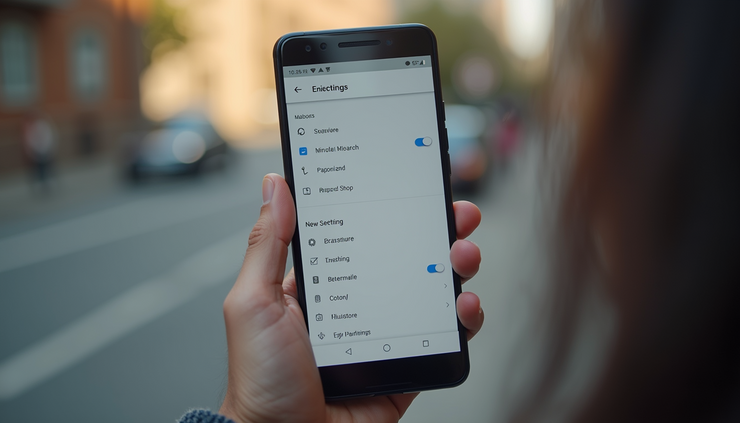
The update is rolling out in phases, so not all Pixel users will see it immediately. To check if the update is available:
Open Settings on your Pixel phone.
Scroll down and tap System.
Select System update.
Tap Check for update.
Make sure your device is connected to Wi-Fi and has at least 50% battery before starting the update. Backing up important data is also a good precaution.
What This Update Means for Pixel Users
This update shows Google’s ongoing effort to improve the Pixel experience with meaningful features rather than just cosmetic changes. The camera enhancements alone make it worth installing for anyone who enjoys photography. Privacy and security improvements give users more peace of mind, while performance tweaks keep the phone running smoothly.
If you have a Pixel phone, this update is a reminder that your device will continue to get better over time. Keeping your phone updated ensures you get the latest features and protections, making your daily use more enjoyable and secure.


Comments